
JUMO DTRON 304/308/316
Type 703041/42/43/44
Table of Contents
30-day test version of software
A 30-day trial version is available for testing the software.
This version of the software can be used without restrictions.
Data transfer, storage and launch can be verified within 30 days from the date of software installation.
After this time, the 30-day license expires automatically and can only be enabled by the original license.
Select between interfaces RS422 and RS485
When selecting an interface on the device, the display shows “r422” for MODbus and “ProF” for Profibus-DP.
Due to display representation limitations, the display was limited to "r422" for MODbus interfaces. However, the configuration for this parameter also includes interface RS485. From connections to the terminals, the instrument hardware can determine whether RS422 or RS485 is operating.
Self-optimization cannot start
In order to be able to start self-optimization using the key combination UP+DOWN, the following conditions must be met:
- Self-optimization feature released in controller menu
- No active level is inhibited according to binary functions "binF"
- No parameter inhibition via setup program (level inhibition parameter in menu/display operation "disP")
- Make sure the UP+Down keys are pressed simultaneously.
Activating Math/Logic Option
The math and logic option can be activated later using the dTRON series setup program 300 and an interface connection to the controller.
Activating the options does not require full wiring of the controller. You just need to connect the voltage regulator.
Interface connection can be easily established with interface JUMO USB-TTL or JUMO RS232-TTL and serial software interface.
The additional interface RS485/RS455 can be used to establish a connection as an alternative to the interface lines JUMO.
The menu used to activate the math/logical option is accessed through the “Activate additional codes” in the “Extras” section.
Make sure that online mode is activated in the setup program in advance. The activated online mode is indicated by the current status information or measured values at the bottom of the mask and the active symbol for "Disconnect connection".
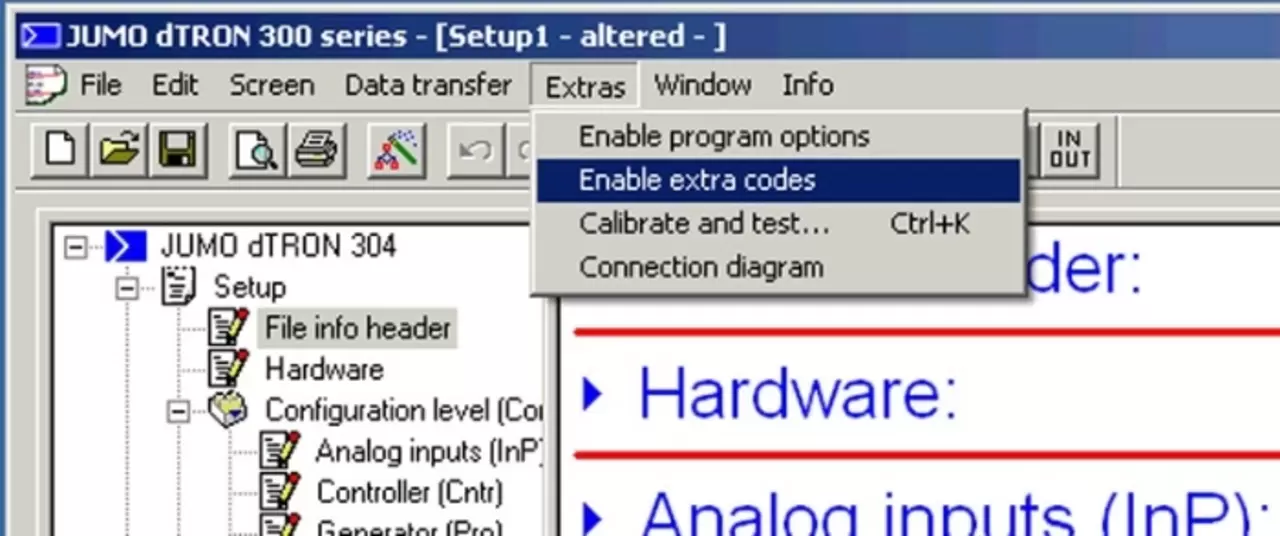
The math option, which also includes the logical option, can then be selected from the menu behind the "Read Code Number" button.
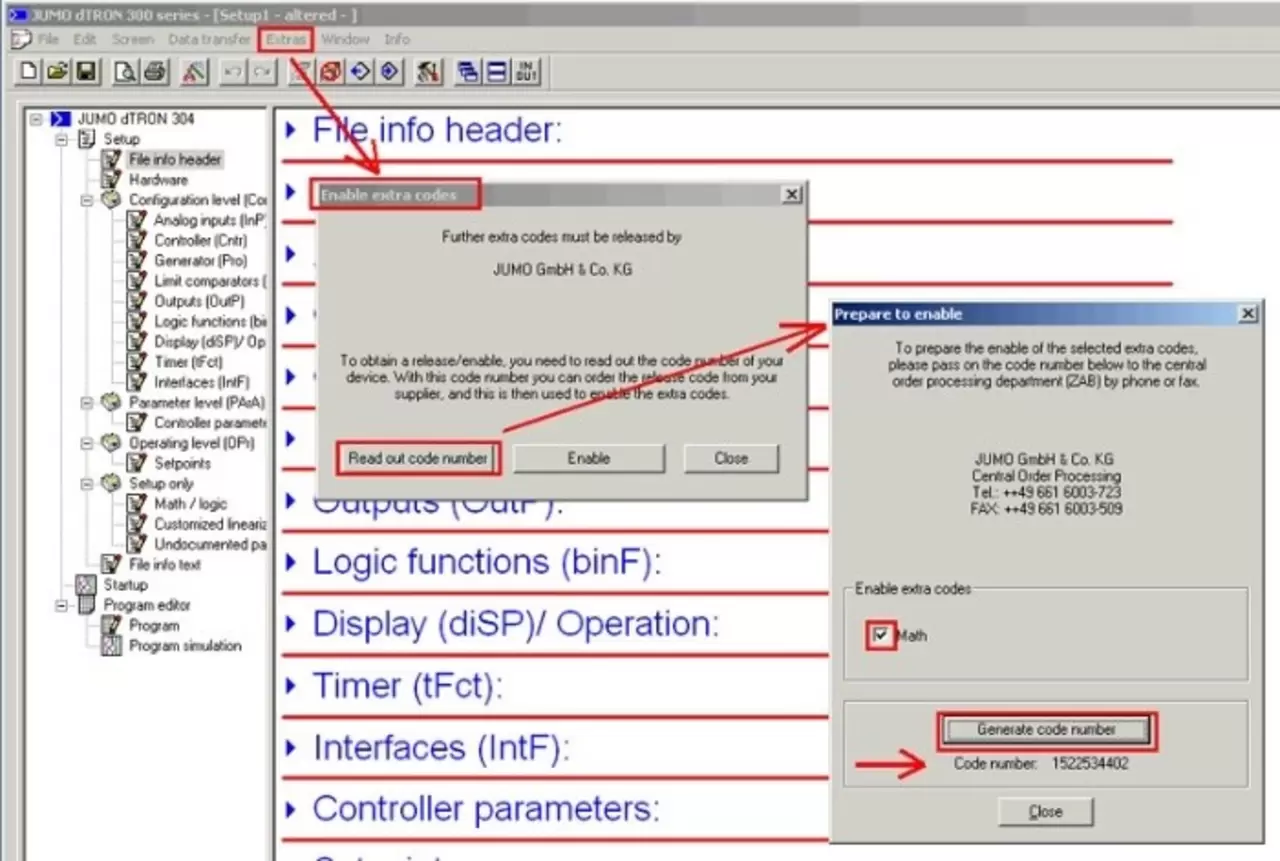
The menu used to activate the math/logic option is accessed through “Activate Additional Codes” under “Extras.” Make sure that online mode is activated in the setup program in advance. The activated online mode is indicated by the current status information or measured values at the bottom of the mask and the active symbol for "Disconnect connection".
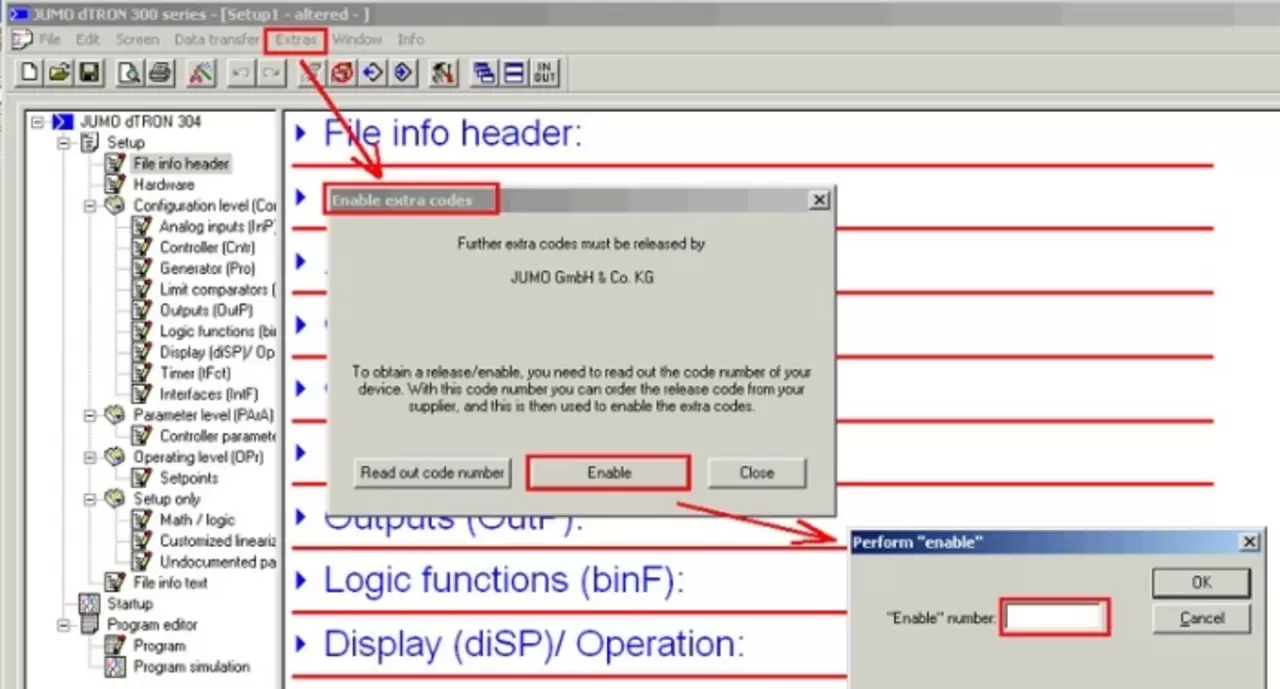
Option activation is completed when the activation code is entered and confirmed. To ensure that mathematical or logical formulas can be subsequently edited in the installer, run the auto-detection program once or manually set the activated option under "Hardware".
FTS and FTE (Fine Tuning Start/End) are no longer included in the configuration.
Accidental or incorrect entries under FTS and FTE have led to an increase in complaints. For this reason, these parameters (for fine-tuning the client) have been removed from the standard menu manual from version 192.02.04 onwards.
If necessary, they can be enabled through undocumented options in the installer.
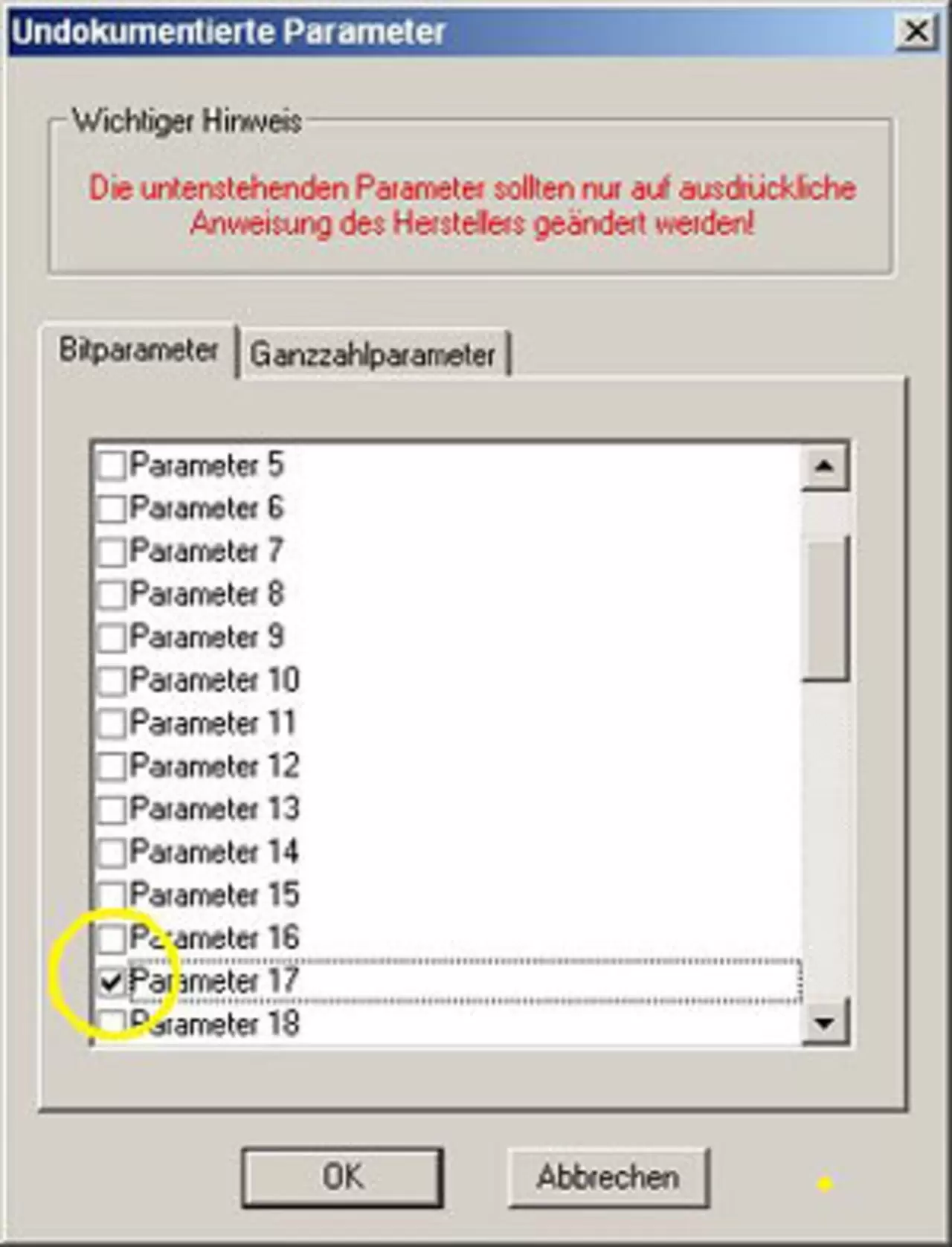
Bit parameter 17 must be set under Undocumented parameters.
Configuration ratio controller, humidity controller, differential controller
Priorities of binary inputs/logical outputs for type 703041 (dTRON 316)
Before device software version 192.01.02, logic outputs had the highest priority. (When logic outputs 3/4 were configured from the device, then binary inputs 1/2 were hidden).
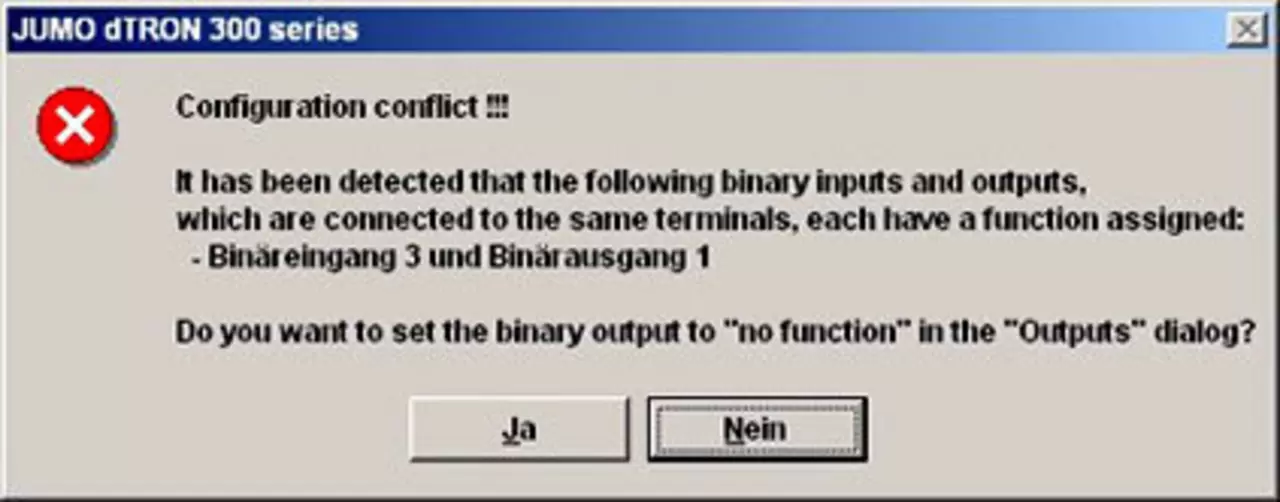
As of device software version 192.02.02, the effect is reversed: the binary inputs now have the highest priority, and when the binary inputs 1/2 are configured, the logic outputs 3/4 are hidden.
From version 192.02.xx 2.03 the display switches to a note for setup program users.
How can I reset the controller to factory default settings?
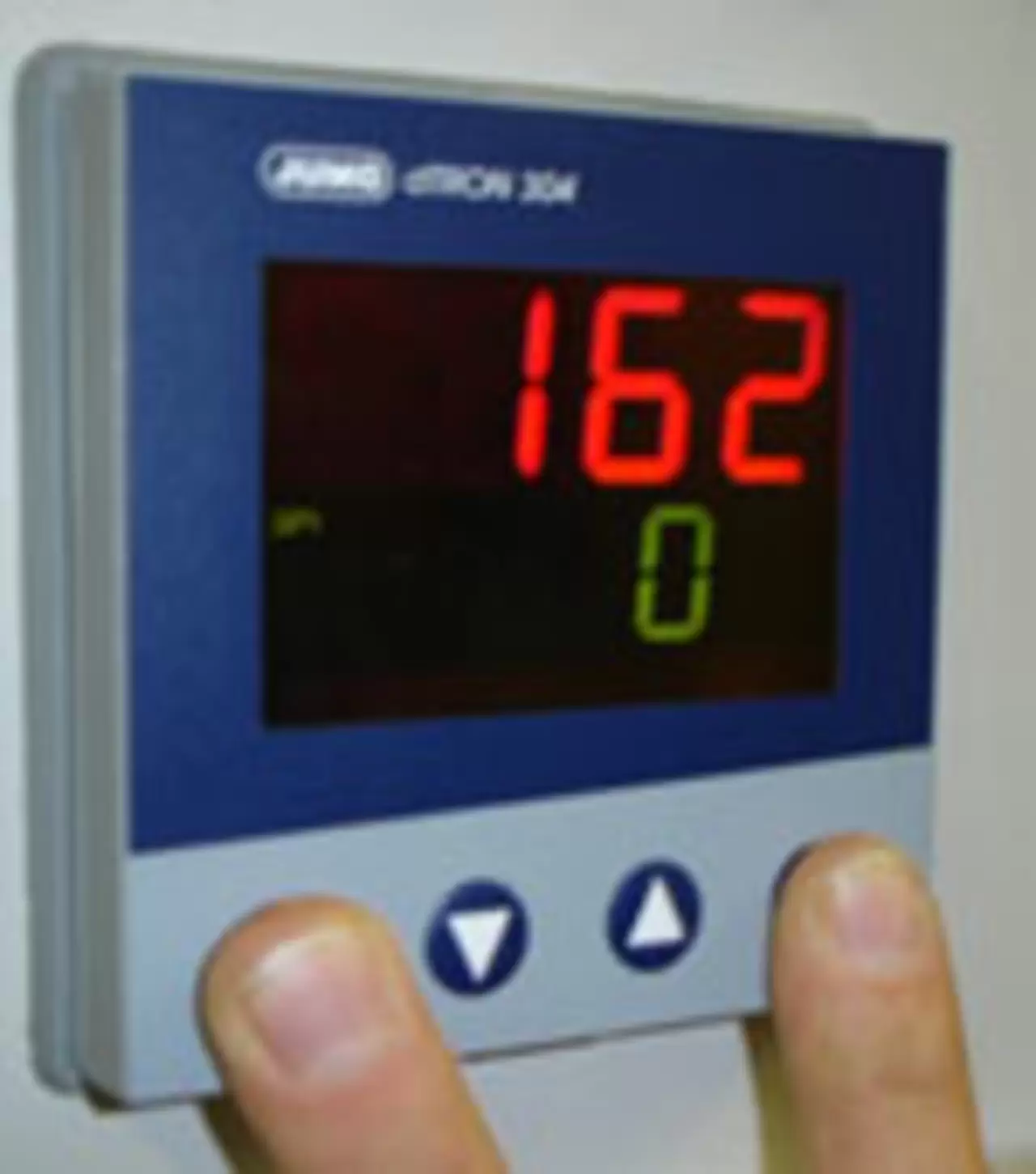
The following keys can be used to reset the controller to factory default settings.
Keep PGM and EXIT pressed at the same time when turning on the power.
"IniT" will appear briefly on the display.
Be careful!
The controller now operates with the default settings JUMO.
Factory presets or customer-specific settings have been removed.
The controller now operates with the default settings JUMO.
Factory presets or customer-specific settings have been removed.
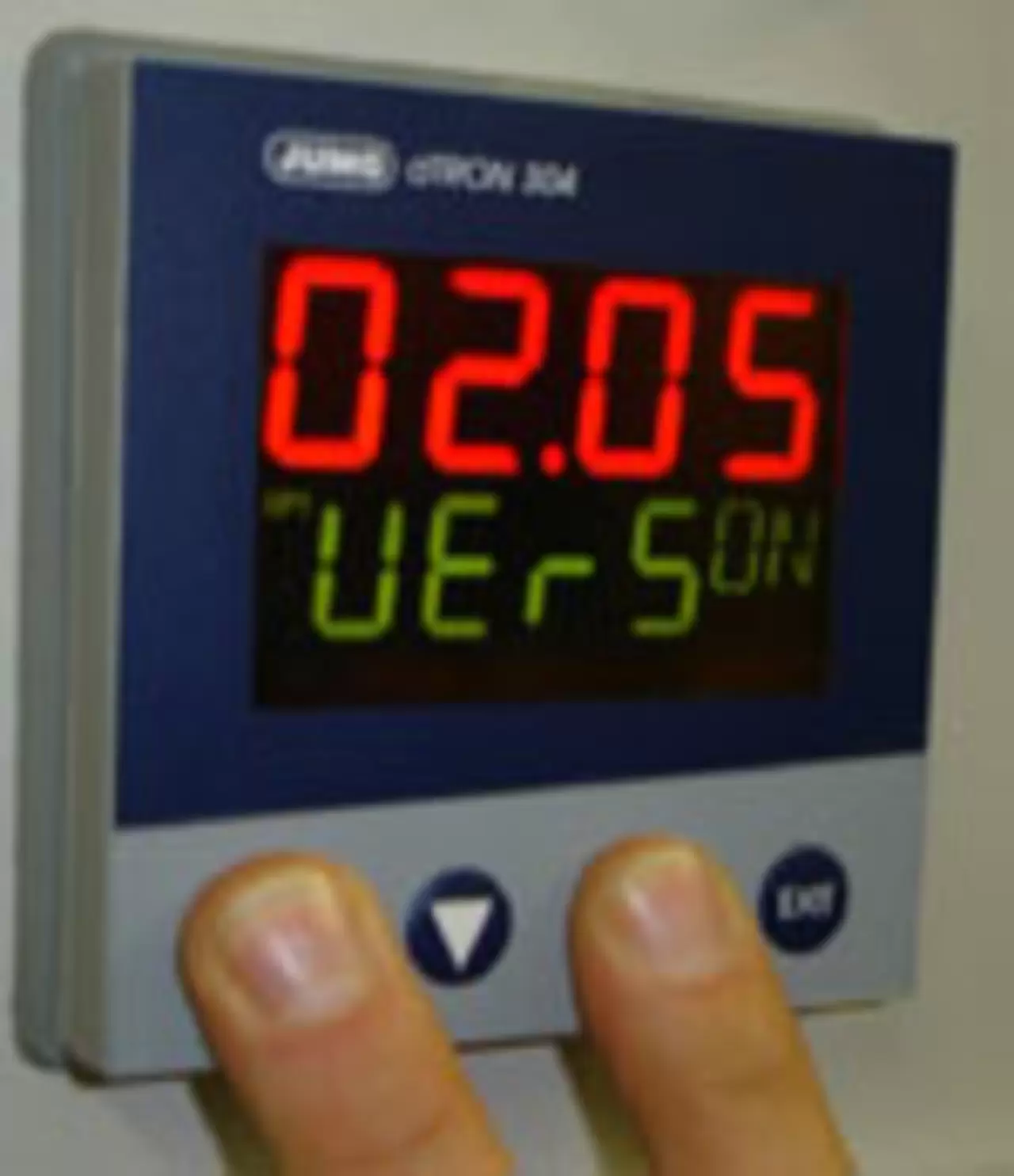
How can I read the software version?
To read the software version, press the PGM and up arrow keys simultaneously.
Effectiveness of output level limiting in various operating modes
Output level limiting is effective in two different ways: In manual mode, output level limits set in the active parameter set are effective.
In Auto mode, the output level limits in the active parameter set are only effective if the corresponding proportional band (Pb1/Pb2) has been set greater than zero (e.g. before 1).
Access to user/operator/program level
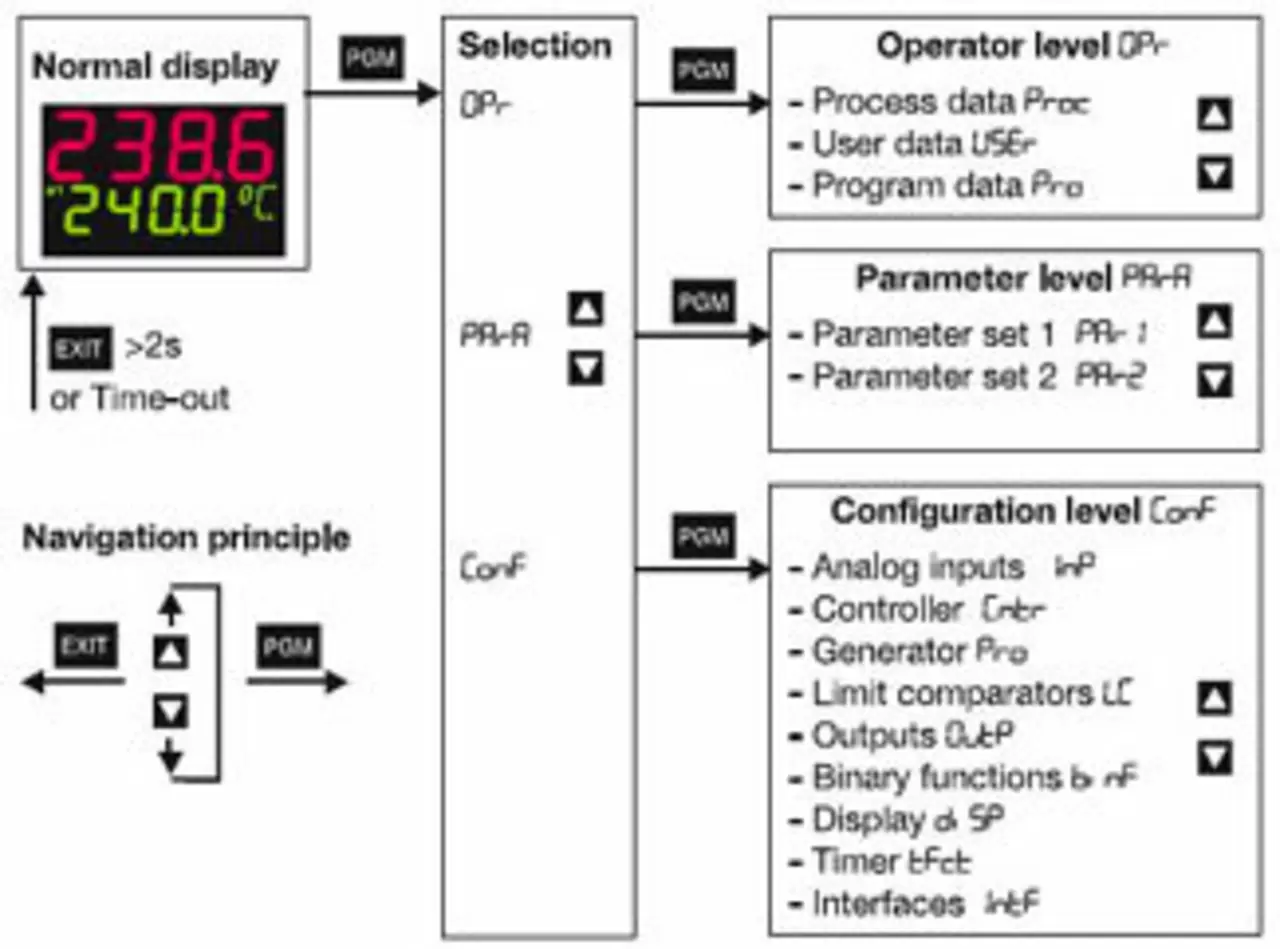
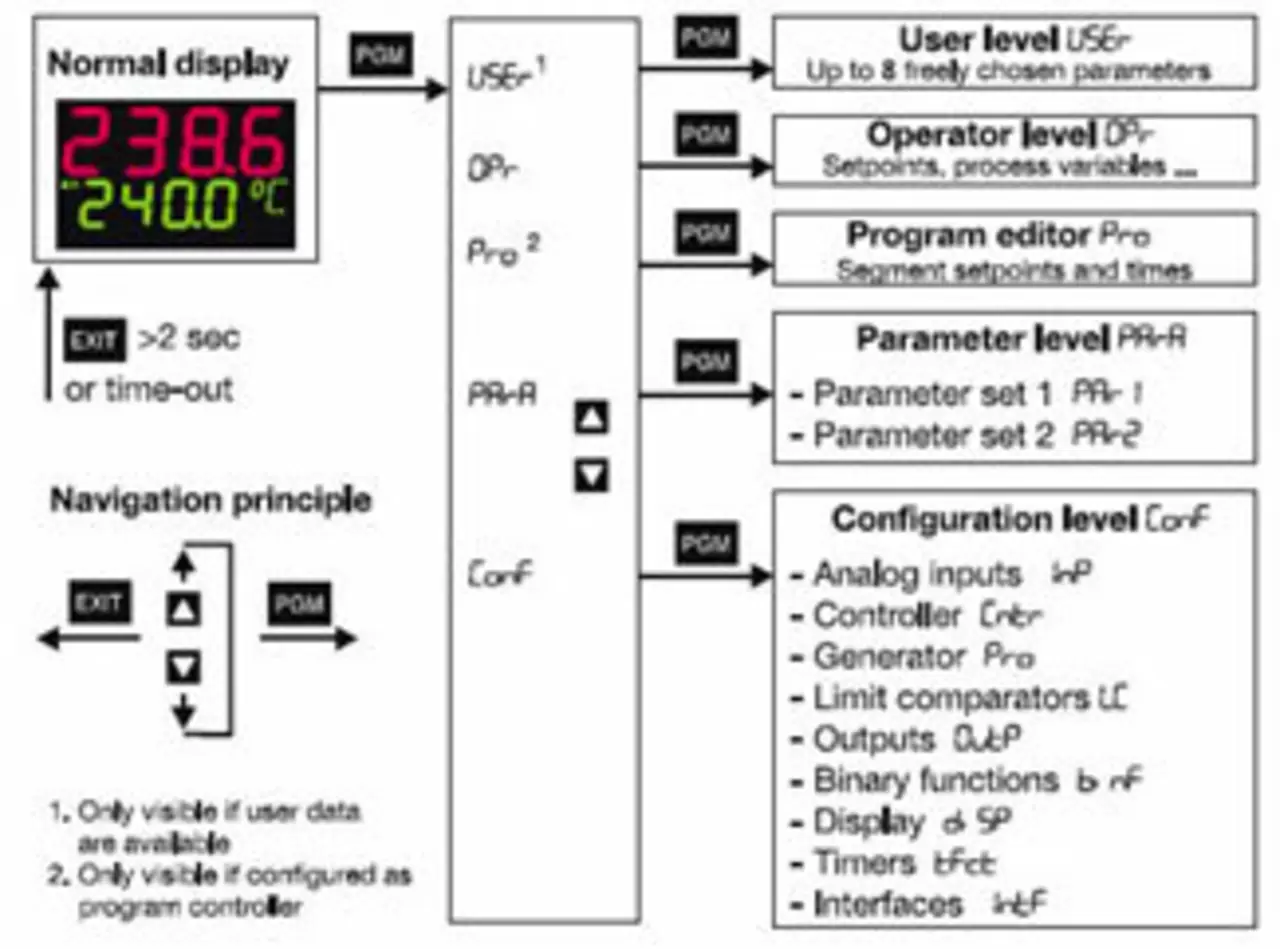
The operating concept has become more user-friendly since version 192.02.03.
The most important changes are:
- There was no higher level selection "OPr", with sub-items "Proc", "USEr" and "Pro".
- The "Proc" (process data) level has been renamed to "OPr".
- The "USEr" (user level), "OPr" (operator level) and "Pro" (program editor) levels are now located on the same level (in the loop) as the parameter and configuration levels.
Due to a changed operating concept, the user level (if configured) can be accessed by pressing the PGM key twice.
Our services for you